Custom Column Date Parts are used to add date-logic categorization of data based on existing date-time columns presented in the data model. Date parts allow users to virtually add new columns like year, month, quarter and week to a data model without needing to change the model or the data. By building these groupings, time-based analysis of data becomes significantly easier and smarter. By adding date-part columns, the engine effectively adds a new virtual column to the data model that represents a new way to query results. Converting a simple date into a year or month can only be done at the grain and cannot be solved effectively using semantic calculations.
Date Parts include Date Numbers like Year (2008 and 2009) or Quarter (1 and 4) and Date Text like Month Name (Jan and Feb) or Full Quarter (2016-Q1 and 2016-Q2).
Note: Custom Columns allow the user to add granular logic to an existing model. This functionality is not available on MS OLAP, Tabular and SAP BW cubes and models since this is not possible on a predefined model framework.
Calendar Periods
All logical options using Pyramid's point-and-click date parts assume a standard calendar period. To create non calendar periods, there are several alternatives:
- Use the time intelligence widget in model to build materialized columns into the database. It has advanced settings to change the year definitions.
- Use the Calendar slice to use data parts in filtering (only). The Calendar slice has advanced settings to change the year definitions.
- Manually build a view into your database with your custom logic and read it into Pyramid like a normal table.
Custom Column Date Part Types
The different Date Part types are based on the date-logic applied to the existing date-time field in the data model. The following grid shows all the different date part fields based on the first raw data column "dateKey" (purple arrow below):
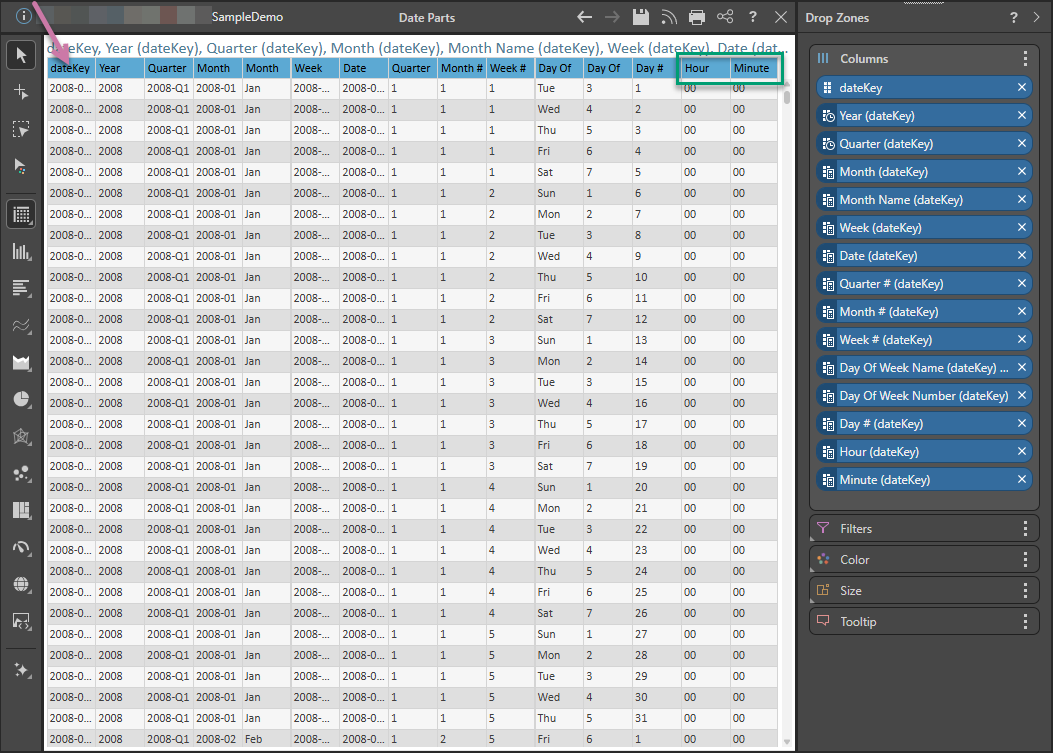
Note: Since the source field only has dates, the hour and minute date parts (green highlight above) return zeros.
- Year - Extracts the year number from the date.
- Full Quarter - Extracts the quarter and the year from the date.
- Full Month - Extracts the month and the year from the date.
- Month Name - Extracts the three-character month name from the date (English only).
- Full Week - Extracts the week and the year from the date.
- Date - Extracts the date in full.
- Quarter Number - Extracts the quarter number from the date.
- Month Number - Extracts the month number from the date.
- Week Number - Extracts the week number from the date.
- Day Of Week Name - Extracts the three-character day name from the date (English only).
- Day Of Week Number - Extracts the day of week number from the date.
- Day Of Month - Extracts the day of the month from the date.
Given time elements in the 'dateKey' field:
- Hour - Extracts the hour number from the time.
- Minute - Extracts the minute from the time.
Tip: Text groupings are often more useful for visualizations because they contain a more descriptive level of detail for dates.
Adding Date Parts
Step 1
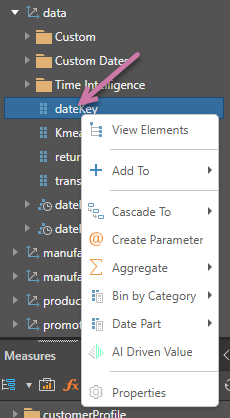
Using a SQL data source with date-time columns / attributes, right-click the date/time hierarchy in the Dimensions panel to open the context menu:
Step 2
Select Date Part and then the required date part from the submenu:
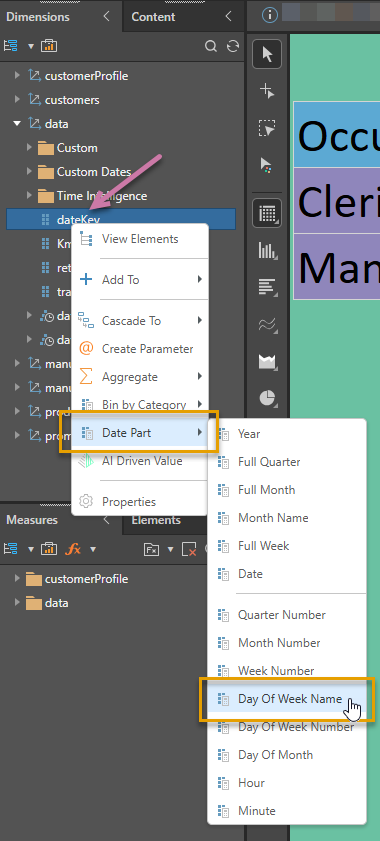
Pyramid executes a SQL script to extract the given date part.
Step 3
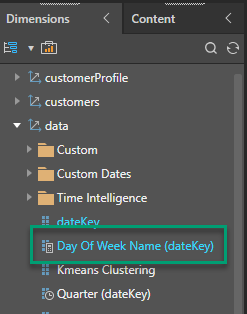
The custom column is produced and appears in the Dimensions panel:
Step 4
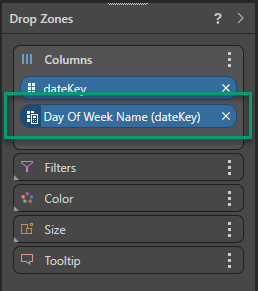
The new custom column is also added to the query: